Managing Accounting Period Close
Introduction
Once Journals are posted to the accounting system, either manually or automatically through integration, it is time to close the accounting period from the Close Period page in your RevRec Premium site.
Closing an accounting period is a critical step in ensuring that your financial data is accurate, compliant, and locked against further changes. The Close Period page in RevRec Premium offers an intuitive interface to review the status of your journals, verify any pending actions, and finalize the close in just a few clicks. Whether your journals are synced with an external ERP or maintained directly in RevRec, the close process ensures that your books reflect an accurate and reliable snapshot of financial performance for that period.
Closing an Accounting Period
Follow the steps below to close an accounting period on your RevRec Premium site:
- Log in to your RevRec Premium site.
- From the left navigation bar, click Monthly Close > Close Period.
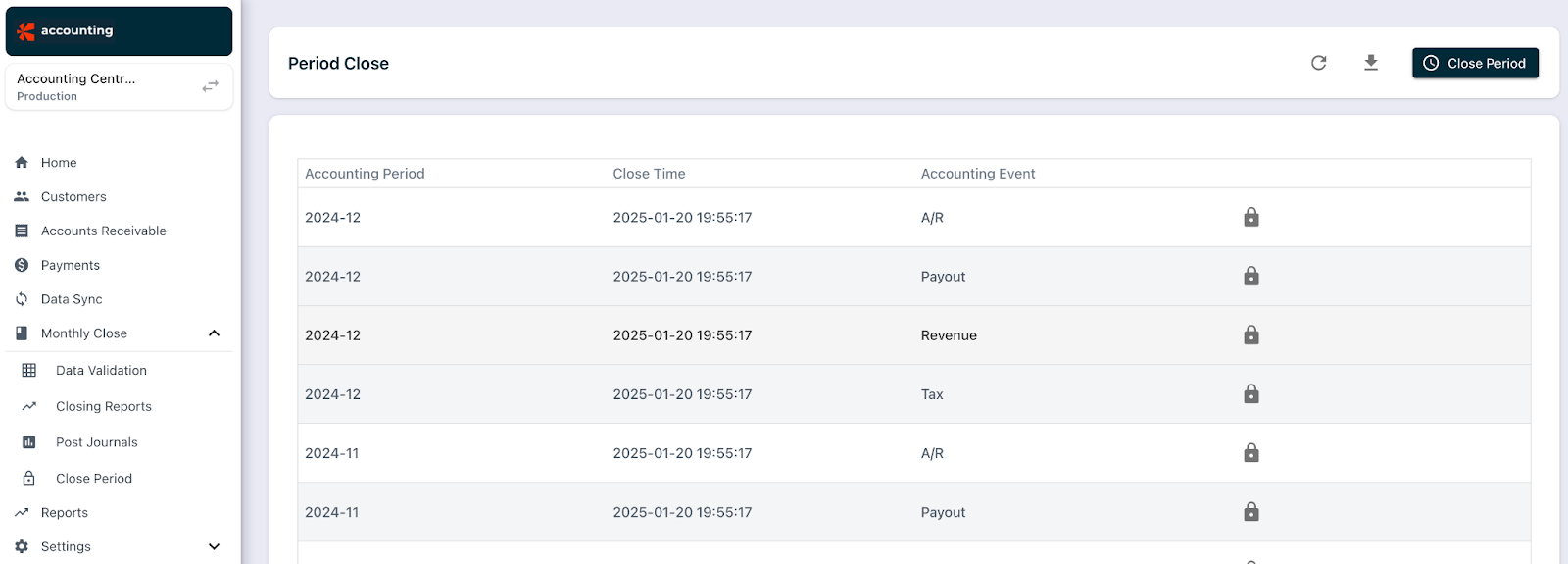
- Click Close Period, select the Year and Month, and one or more Accounting Event Types.
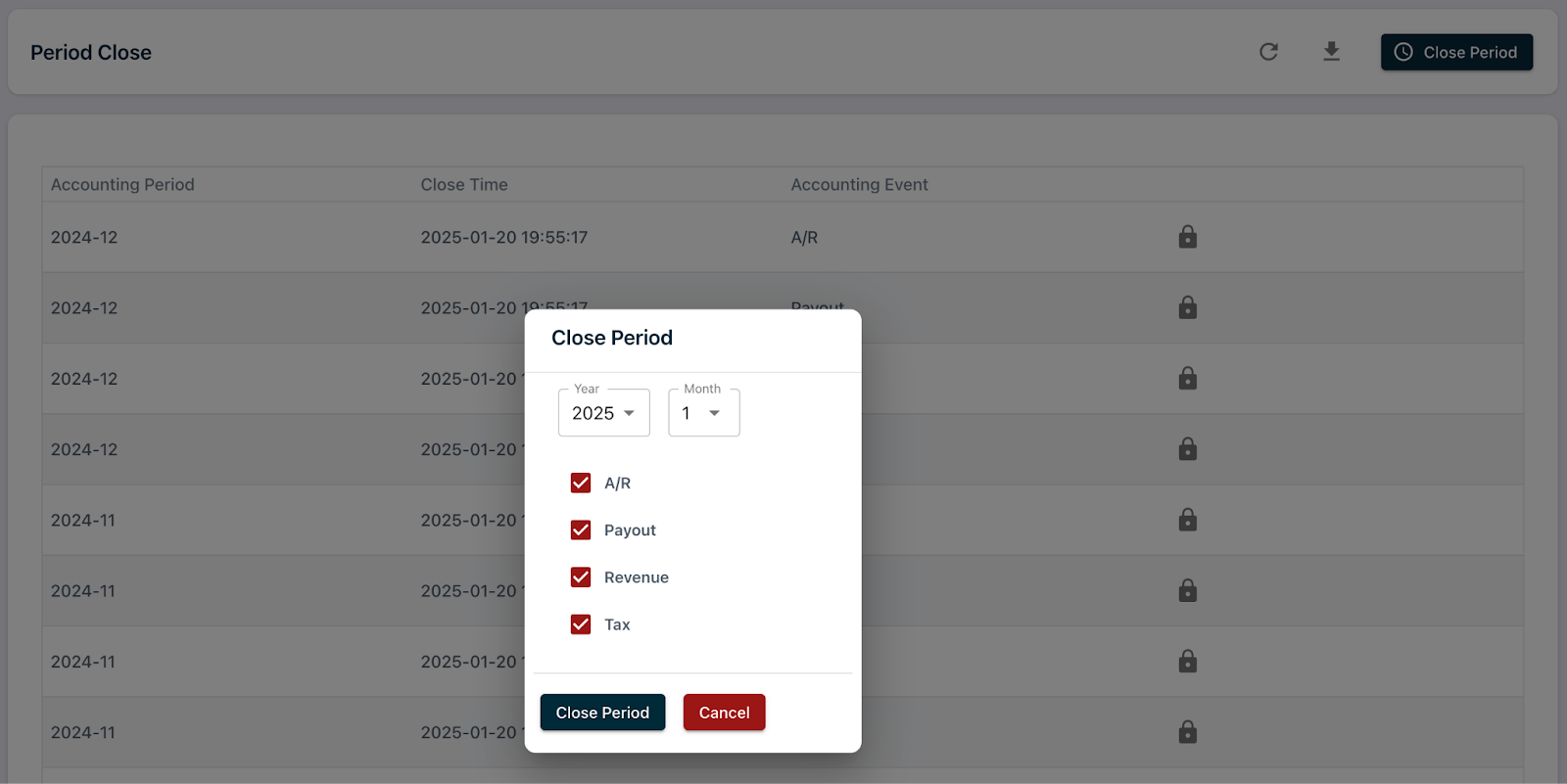
- Click Close Period to confirm.
If the journal posting connection is not set up, a warning message appears.
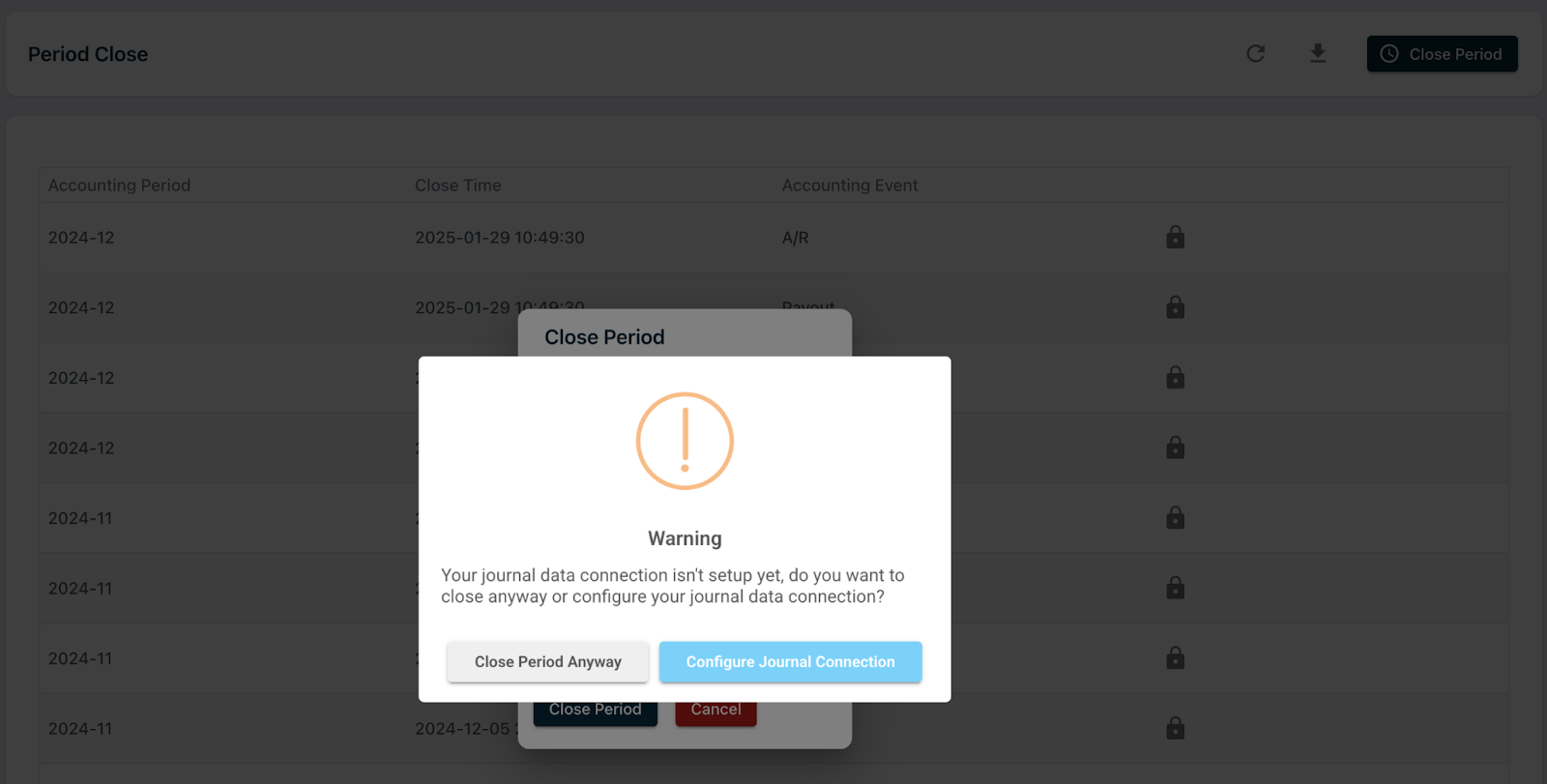
In this case, you can:
Close the period with the connection disabled and post journal entries manually, or If you are a user with the Controller role, configure the journal connection and then close the period.
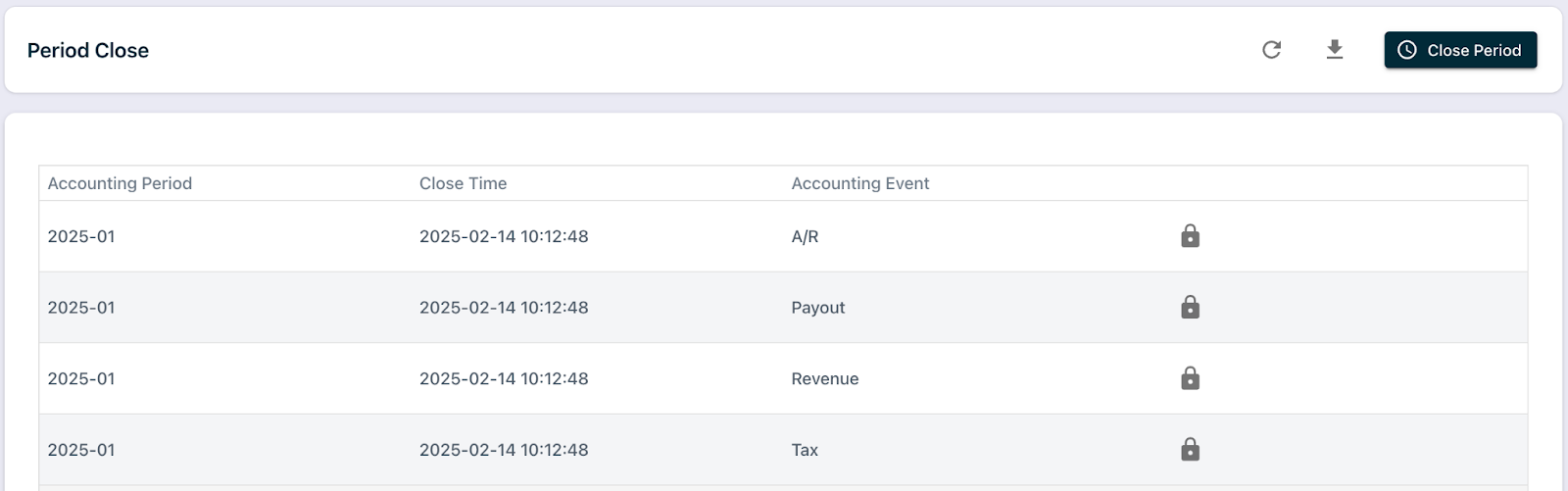
Once closed, the period appears in the grid with the close date and time.
Best Practices
- Always review the Data Validation report before closing to ensure there are no missing mappings or unresolved errors.
- Confirm that all journals have been generated and posted, especially if you use an external ERP system.
- Close periods sequentially to maintain accurate reporting and avoid data discrepancies.
Re-opening an Accounting Period
Re-opening an accounting period in RevRec Premium allows you to unlock a previously closed period to make necessary adjustments or corrections. Use this action with caution, as it re-enables changes that can affect finalized financial data and audit compliance.
Follow these steps to reopen a closed accounting period on your RevRec Premium site:
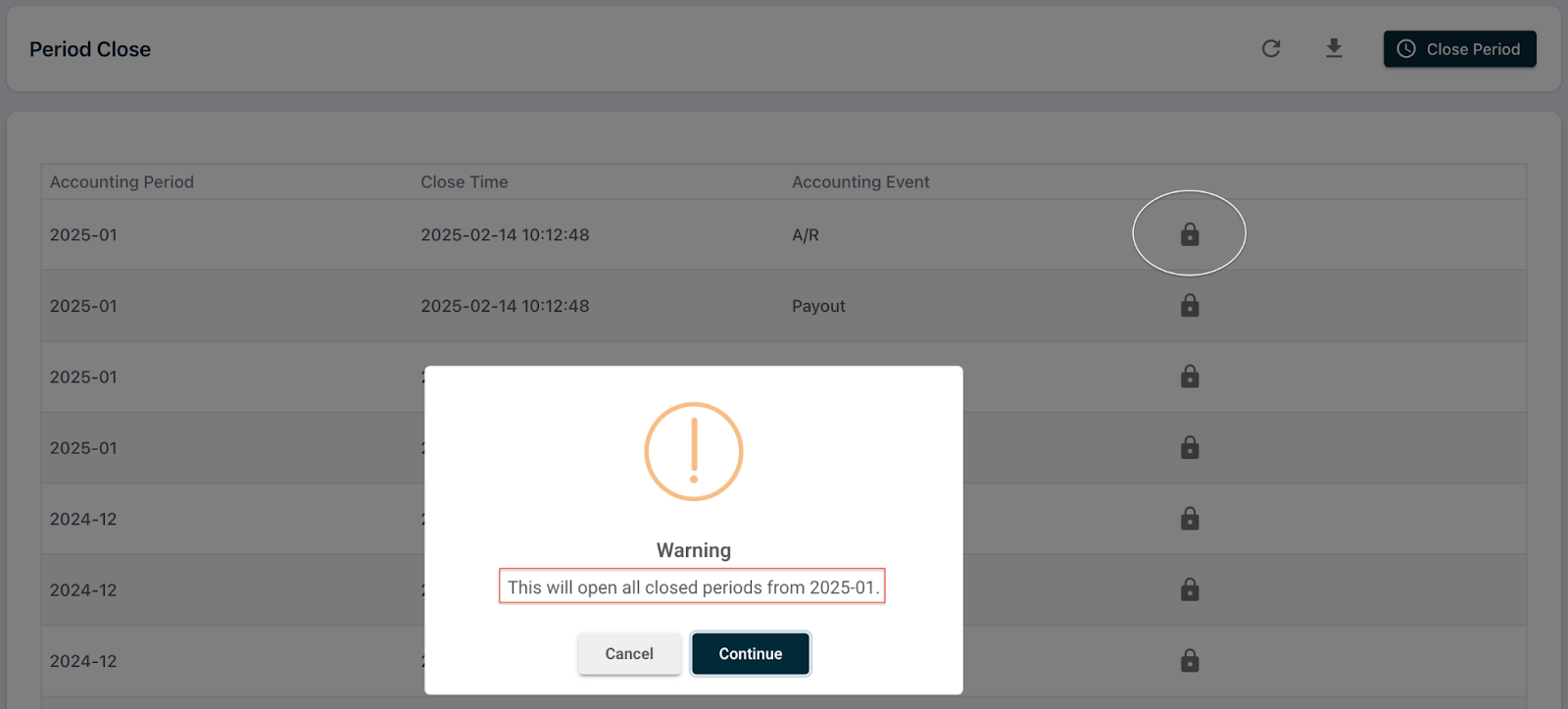
- Navigate to the closed accounting period and click the Lock icon.
-
When you re-open a period, RevRec does not automatically delete existing journals for the selected period or later periods for the accounting event type.
-
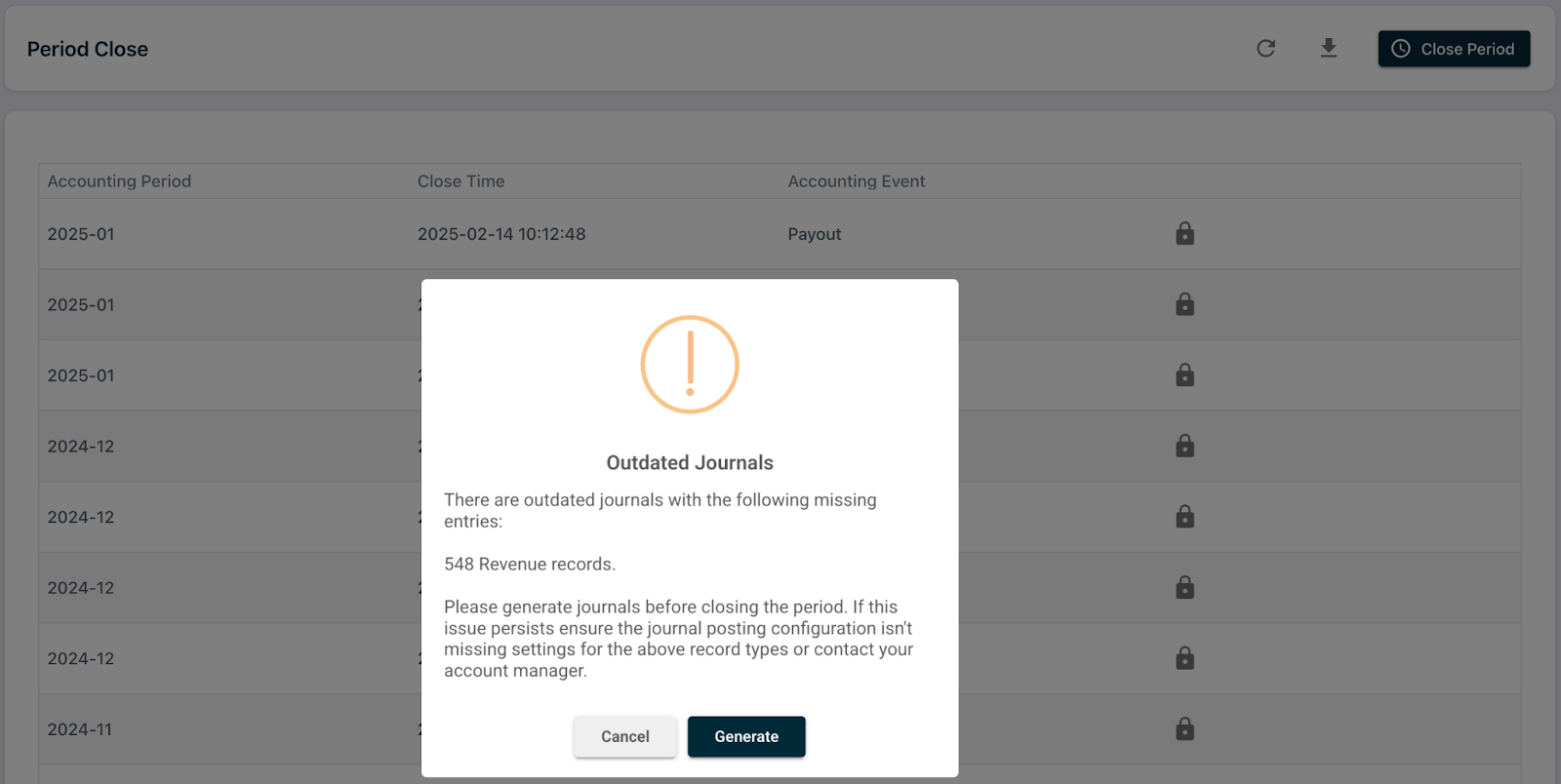
If journal entries are missing after the period is reopened, RevRec marks them as Outdated Journals.
-
You can then:
- Click Generate to create the missing journals immediately, or
- Go to the Post Journal page and generate them manually.
-
If needed, you can choose to delete existing journals and recreate them.
-
Once the journals are generated, you can proceed to close the accounting period again.
Note:
- Existing journal entries remain in the accounting periods in which they were originally booked. Re-opening a period does not move them to the newly reopened period.
- If the warning message reappears, review the Data Validation report for errors related to missing journal account mappings. Add any missing mappings from the Mapping Rule page under Settings. If the issue persists after these steps, please contact Chargebee Support.
Was this article helpful?